How to Stop Scam Calls Without Turning Off Your Phone
.png)
Quick Answer: To stop scam calls, enable your phone’s built-in spam filtering, activate your carrier’s free call-blocking service, and register with the Do Not Call Registry.
If you have a suspicious number you want to check right now, paste it into Scamwise — free, takes about 15 seconds.
Why You Keep Getting Scam Calls and How to Stop Them
Robocall technology makes it cheap for scammers to dial millions of numbers automatically. Advances in artificial intelligence have made voice-cloning as simple as clicking a button. After years of filling out digital forms and providing your phone number to various vendors who may have been hacked themselves or sold it to data brokers, you should assume that scammers can identify your number if they want. The good news: you have more control than you might think.
Step 1: Enable Built-In Phone Filtering
iPhone: Settings > Apps > Phone > Silence Unknown Callers
Android: Phone app > Settings > Caller ID & spam > Filter spam calls
Learn more: Block Scam Calls on iPhone & Android
Step 2: Activate Carrier Protection
Carriers are incentivized to connect calls and not to verify them, but they are the gatekeepers to your phone number. Check with your carrier about what additional scam or spam prevention they provide.
Step 3: Register with Do Not Call
Visit DoNotCall.gov or call 1-888-382-1222. This free FTC service requires legitimate companies to remove registered numbers within 31 days, reducing unwanted sales solicitations from telemarketers. While this won’t help with scams, it may help reduce spam volume.
Step 4: Consider Additional Protection
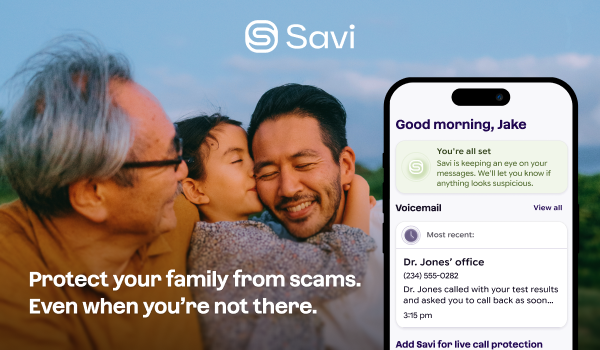
Apps like Savi provide additional blocking, screening, and filtering services for calls and SMS — an extra layer that goes beyond what your phone and carrier offer.
FAQs
How can I stop scam calls?
Enable your phone’s built-in spam filtering, activate your carrier’s free call-blocking service, register with the Do Not Call Registry, and layer on apps built for scam call screening.
Will these tactics stop all scam calls?
No, but they significantly reduce volume, which helps keep you safe.
If I try to stop scam calls by blocking them, will I miss important calls?
Unknown calls will go to voicemail, so you may miss the initial ring, but legitimate callers will leave a message so you know whether it’s safe to call them back.

Related Articles
.png)
.png)
You can't always be there. Savi can.